Dec
8
2010
Show in Finder in Eclipse
It’s horribly annoying trying to find a file on your file system when it’s buried folders deep in your project, on who knows which hard drive. In an effort to make this easier I scoured the interwebs for you, and found a solution on StackOverflow.
Since ColdFusion Builder is Eclipsed based, this solution works for it as well. From CFBuilder, choose Run > External Tools > External Tools Configuration. Once there, right-click on Programs and choose New. Complete the dialog as shown below:
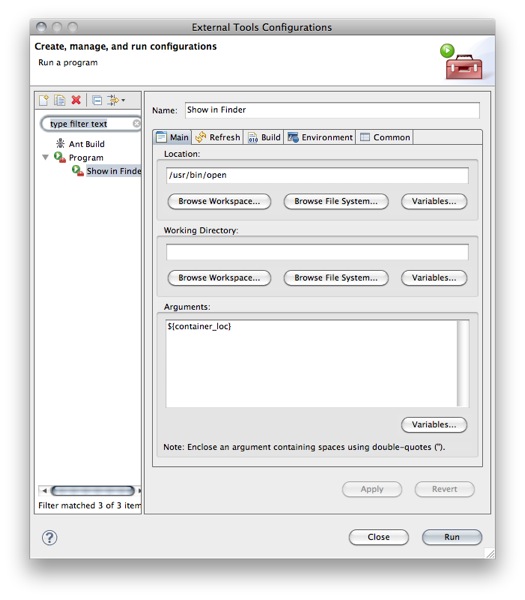
- Location:
/usr/bin/open - Arguments:
${container_loc}
After completing the fields, click Apply, and then Run to run it for the first time.
Now you can choose a file from the Project Navigator, click the Run Tools icon, and choose Show in Finder.
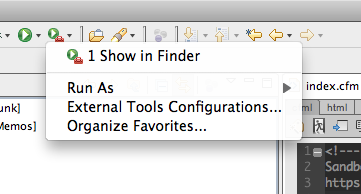
No more hunting through Finder windows for that illusive CSS file.